Real-Time Inventory Tracking
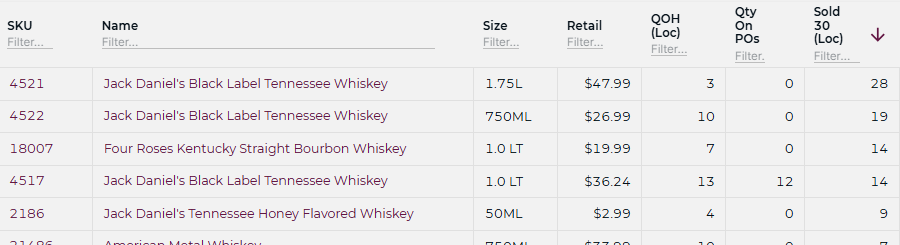
Sell a single from a broken case and the case, pack, and bottle counts all stay right — no double-counting, no nightly reconcile. What’s on screen is what’s on the shelf.
Learn More→
Product · Inventory Management
mPower tracks stock to the bottle and watches how fast it sells — so when it’s time to reorder, you know before a regular asks for something you don’t have.
Inventory issues have a way of showing up where you least expect them. A missing case here, an out-of-stock there, and suddenly you’re dealing with lost sales, frustrated customers, and margin erosion.
Complete inventory visibility
A rough count isn’t a count. Estimating your stock is easier than knowing it — but estimate long enough and the guesses compound: wrong reorders, surprise stockouts, margin you can’t explain.
Sell a single from a broken case and the case, pack, and bottle counts all stay right — no double-counting, no nightly reconcile. What’s on screen is what’s on the shelf.
Learn More→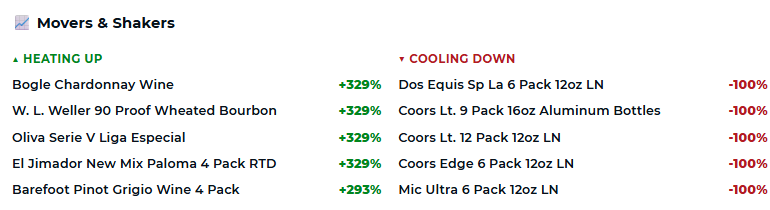
Not just what’s selling — how many days of stock you have left at today’s pace. A steady seller stalling or a slow one heating up shows up in the number before it shows up on the shelf.
Learn More→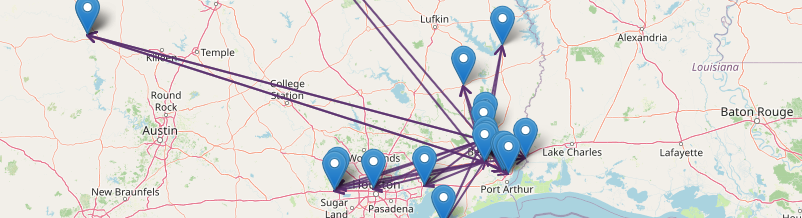
View inventory across every location from a single dashboard, with numbers that reconcile across them — so you can spot the store that needs attention before it costs you a sale.
Learn More→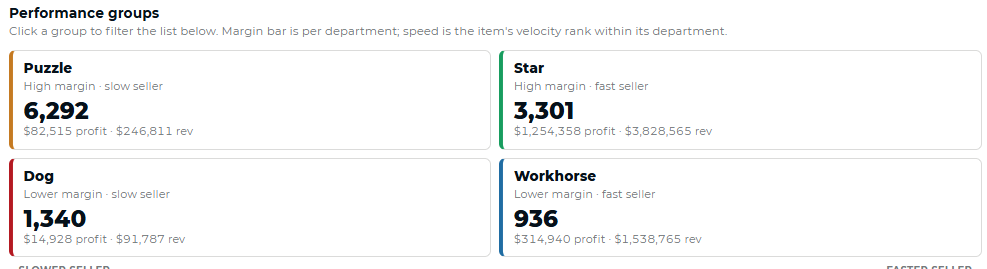
Every bottle carries what you actually paid — not list price, with deposits and freight kept out of the unit cost. The margin on screen is the margin you can price against.
Learn More→Profit protection
A stockout isn’t just a gap on the shelf. It’s a lost sale and a regular who drives to a competitor next time.
Compare physical inventory against system records and quickly identify discrepancies — bottle vs. case counts that agree, every time you count.
Learn More→Spot unusual inventory activity and investigate issues before they impact profitability.
Learn More→Maintain visibility into adjustments, transfers, and transactions across the business.
Learn More→Surface inventory issues that require attention so your team can focus on what matters most.
Learn More→Smarter purchasing
Accurate counts, honest costs, and reorder alerts that get ahead of the shelf — so the right product is there when your regulars walk in.
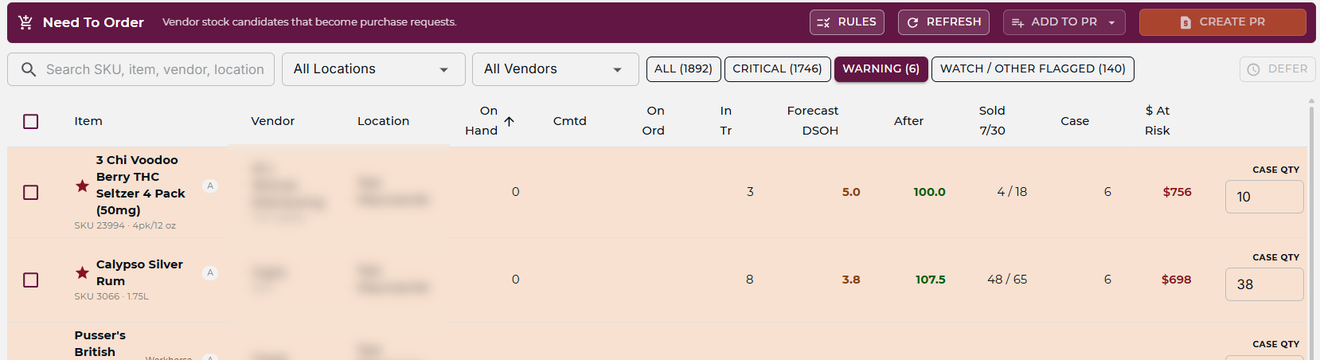
The order’s built before you open it — quantities suggested by velocity, already split into a clean PO per vendor. Adjust what you want and send: no retyping, no separate list for each distributor.
Learn More→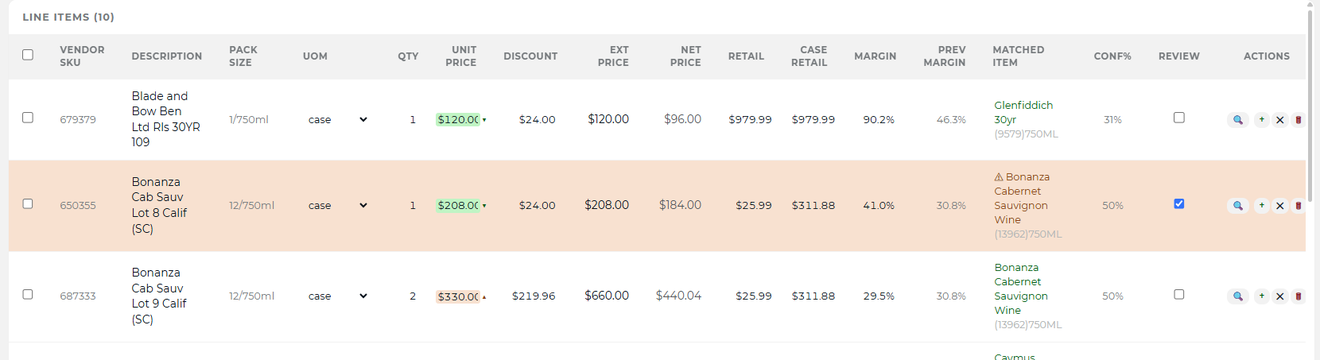
Maintain stronger supplier relationships with better visibility into orders, deliveries, and product availability.
Learn More→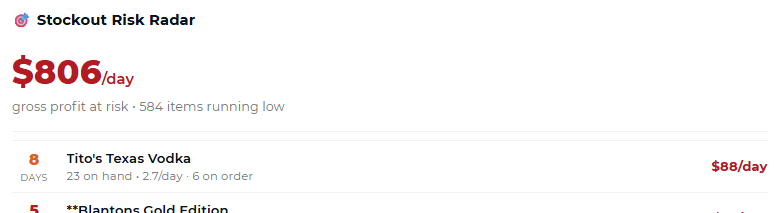
An item crosses its reorder point and lands on your order list on its own — sized to how fast it’s actually selling, not a static min/max you set once and forgot.
Learn More→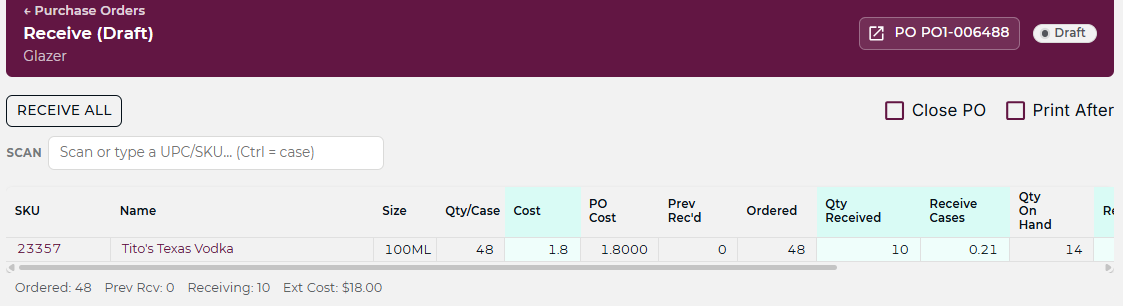
When a case comes in through receiving, the count goes up. When a bottle leaves the register, it comes down. One picture, kept current from both ends.
Learn More→Multi-store management
Growth creates opportunity, but it also creates complexity. As additional locations are added, maintaining inventory accuracy becomes more challenging.
mPower helps retailers maintain visibility across every store, track inventory movement, and create operational consistency without adding unnecessary complexity — every location run from one place, with numbers that reconcile across them.
Explore Multi-Store Management→
The rest of the platform
Ready for better visibility?
A consultative walkthrough of mPower’s inventory management — with a real person who knows beverage retail.
Whether you’re managing one store or several, mPower helps you reduce uncertainty, improve accuracy, and make smarter decisions, confidently.
Schedule a Demo