Hand the paperwork to mPower. Take your week back.
The delivery is here. So is the paperwork. Checking quantities, keying invoice lines and catching a cost change can keep you in the back room long after the truck leaves.
mPower is a second set of eyes on every invoice — so you can spend less time matching paper and more time on the floor.
15+ years leading beverage retailThousands of installs46 states + DCU.S.-based team
See your second set of eyes at work
Invoice scanning software built for liquor-store receiving.
From a stack of distributor invoices to the few lines that need your attention.
01 Bring in the stack
02 Match it to the order
03 Review what needs you
How mPower helps
It catches what’s wrong before you pay.
You still check the delivery. mPower takes on the manual entry and invoice matching that come with it.
01
A whole stack. Less line-by-line entry.
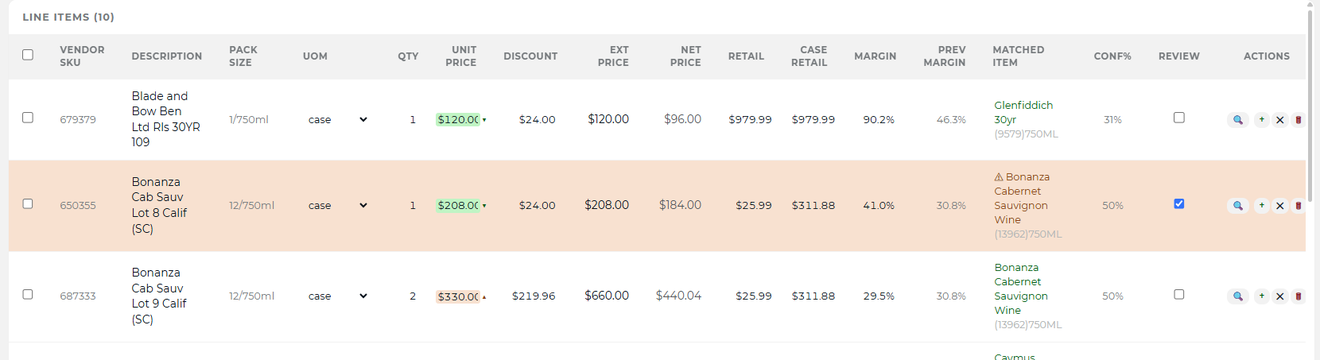
Scan the delivery-day stack, upload a batch, or use a phone photo. mPower splits combined invoices, reads each one and pre-matches the lines to your catalog. Case sizes, bottles and vendor codes get the attention beverage receiving needs.
Invoice capture and beverage-specific details
Drop the whole stack — it finds the page breaks
Upload around fifty files in one batch, or point a sheet-fed scanner at a folder. If several invoices landed in one PDF, mPower reads the page boundaries and splits them before touching a line item. A single phone photo works the same way.
It reads each invoice the way a beverage buyer would
Pack sizes (“12/750ml”), case-versus-bottle splits, vendor SKU, UPC, case UPC — mPower knows what those fields mean for beer, wine and spirits. Freight and deposits stay separate instead of being folded into a line-item cost.
02
The exception gets your attention.
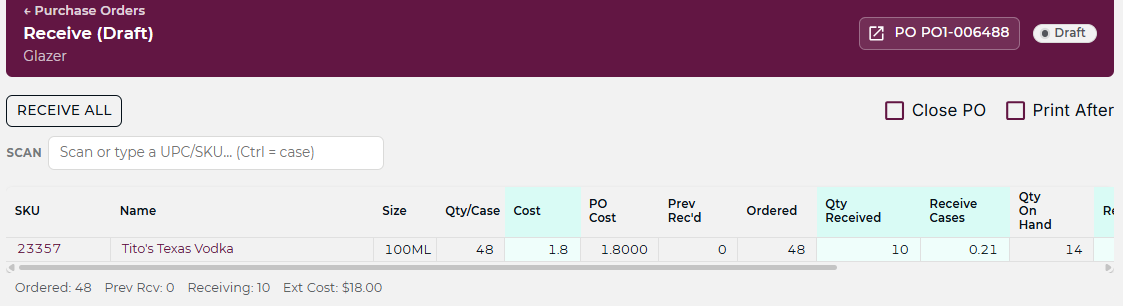
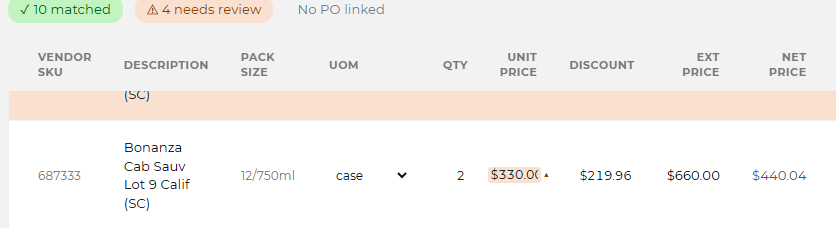
What you ordered, what came off the truck and what the vendor billed — compared against each other. Lines within tolerance match; a cost that crept up, a short ship billed in full, or a price that drifted surfaces before the invoice is confirmed.
See the purchase order behind the match
A true three-way match before you pay
03
One review, however the invoice arrives.
For distributors on Fintech EDI the invoice is already digital — it arrives matched and ready to review, with no scan, no photo, no upload. The workflow from there is identical: check the match, confirm what’s right, flag what’s off.
See the matched invoice
Connected distributors arrive without scanning
Getting deliveries right is where inventory accuracy starts.
Receiving checked against the PO keeps counts accurate and costs current. When an invoice brings a higher cost, keeping the same selling price means a smaller margin.
From invoice cost to selling price
Bulk price changes that keep margins healthy.
You’ve caught the cost change on the invoice. Now bring affected items back to your target margin, without repricing them one by one.
Open a price change and tell the assistant what you want in plain English:
“Bring in all whiskey under 20% margin, set them to 28%, round up to .99.”
It pulls the items, reprices them and rounds up so the margin floor holds. A spreadsheet afternoon becomes a two-sentence ask.