Opens in a new tab

Solutions · Run Every Store Like One

Your stores buy together — and cover each other.

A vendor deal makes sense for the group, but each store needs a different mix. mPower brings purchasing, store demand and available stock together, so buying as one business does not mean sending every store the same order.

15+ years leading beverage retailThousands of installs46 states + DCU.S.-based team

See your second set of eyes at work

Buy together, cover each other — the edge that comes with being one operation.

An illustrative purchase request combines store demand to reach a vendor deal, then allocates the cases by each store’s supply and selling velocity.

  1. 01Combine buying volume
  2. 02Review the deal
  3. 03Place stock where it sells

How mPower helps

One purchase request. A clear plan for every store.

Put the group’s demand in one request.

Build a purchase request for the locations you are buying for. The combined volume makes it easier to review vendor terms against what the whole operation needs.

See the supporting product details

One purchase request, one pool of volume

Instead of each store placing its own order, one request covers all of them. A case price that requires buying 100 cases is reachable when you’re buying for three stores at once.
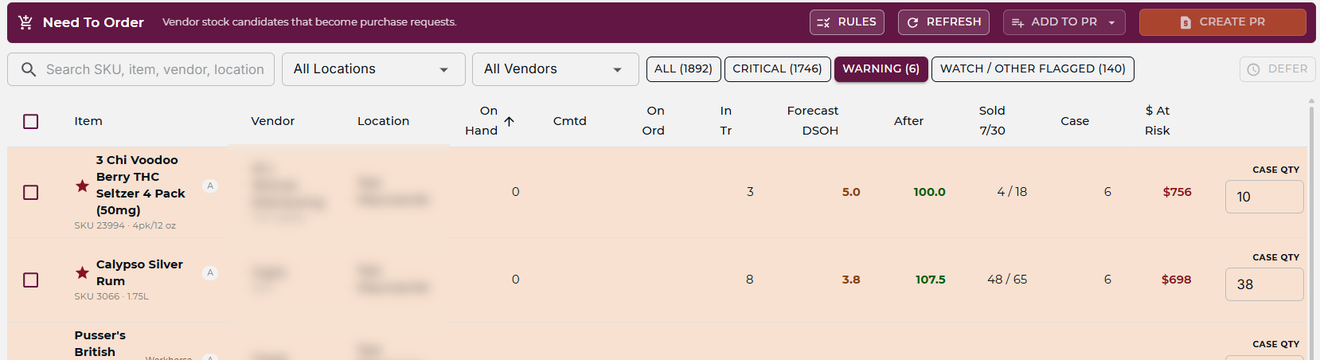
mPower purchase order screen listing open orders by vendor and location

Make the deal fit the stores.

A deal is useful when the stock has somewhere to go. The allocation plan considers on-hand, on-order and selling velocity to place additional cases where days of supply are thinnest. Review the mix and quantities before adding the plan.

See the supporting product details

Allocation lands where the item actually sells

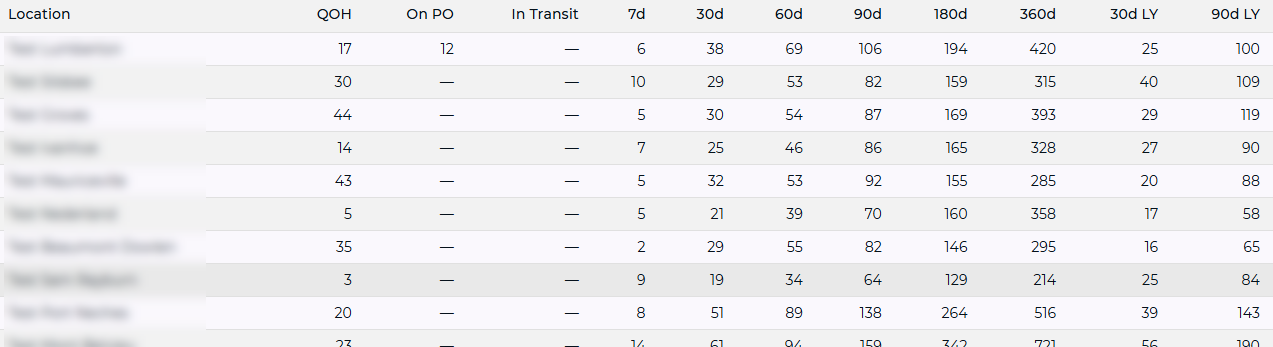
Review allocation across stores using on-hand stock, on-order quantities and selling velocity. The plan directs additional cases toward the thinnest days of supply.

mPower location comparison table showing one item’s on-hand and units sold over 7 to 360 days at each store

Check for a transfer as well as a purchase.

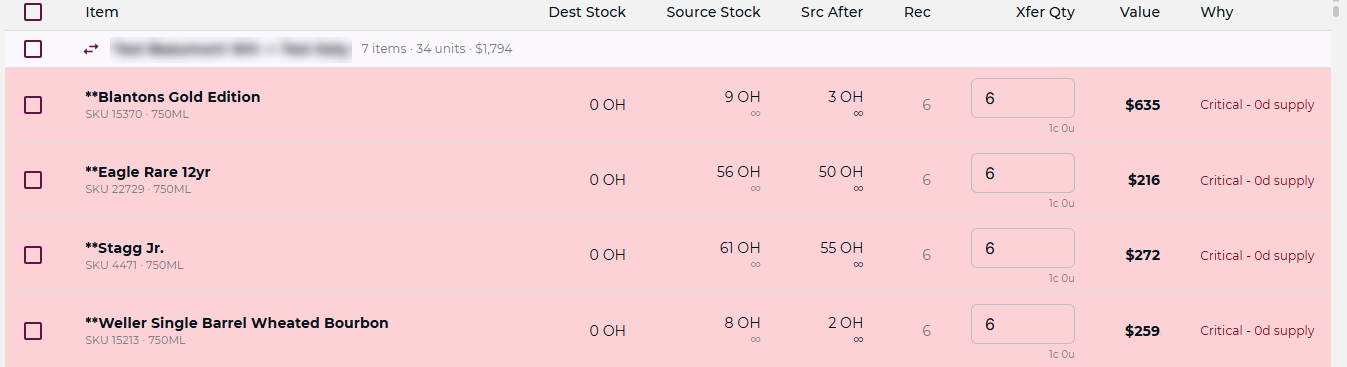
A store running low may be covered by another location’s surplus. Review the recommended transfer before committing to more vendor stock, with both locations’ inventory needs in view.

See the supporting product details

A sister store’s surplus covers the gap first

A recommended transfer identifies a possible source of surplus. Review the source and destination before deciding whether to transfer or purchase.

mPower Recommended Transfers rows showing a sister store’s surplus stock covering a location that is out

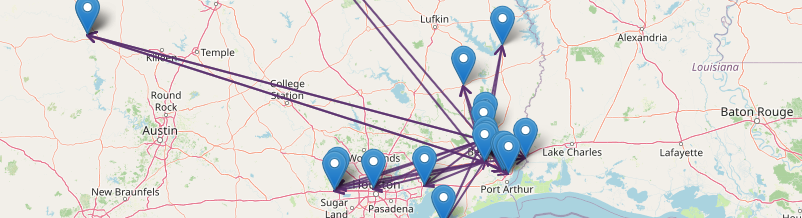
One multi-store view — always current, not pulled at month-end

Sales, margins, inventory and vendor performance across every store on a single screen. Comparable side by side, so you can see where the differences are without extracting anything.

Map of every mPower store location with current stock movements drawn between them

One system. Every store. No gaps between them.

The purchase is one decision; where the cases land is another. A shared view connects them, so the buying advantage supports the stores that can use the stock.

From group buying to store performance

The deal matters when the cases turn.

After the purchase, compare the stores’ sales, inventory and margins. A location with surplus and another with demand should be part of the same conversation.

Keep the next decision connected to the first.

Use the multi-store view to review the allocation as stock moves and sales come in. Carry the same catalog and pricing structure into new locations, while retaining visibility of the differences between stores.

Buying together, allocating deliberately and reviewing performance form one operating cycle.

Ready to run them as one?

See every store from one place.

A consultative walkthrough of mPower’s multi-location tools — with a real person who knows beverage retail.

Pricing and inventory reconciled across locations, inter-store transfers with full tracking, and a U.S.-based team behind it.

Schedule a Demo
Two people raising bottles together against a sunset