
Q4 doesn’t break a liquor store at the register. It breaks it everywhere the slack was already thin.
You’re carrying more product than usual, running more promotions than usual, and working with staff you hired six weeks ago. Every one of those is manageable on its own. Together, in the third week of December, they’re the reason owners spend the holidays doing data entry at 11pm instead of selling.
The fix isn’t working faster. It’s having the software set up before the volume arrives, so the parts that used to need you don’t. Here’s what that looks like in mPower, and what to have configured before Thanksgiving.
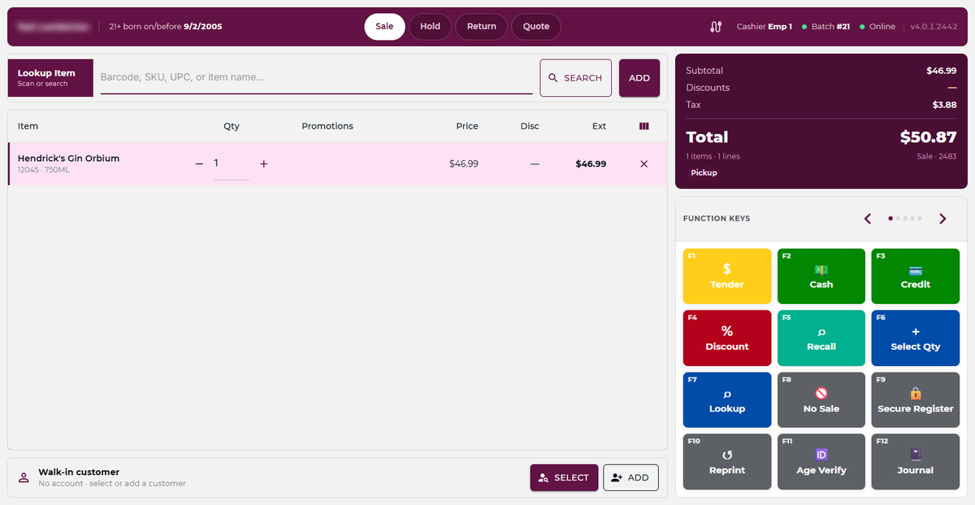
The register has to be learnable in one shift
Seasonal hires are the hidden cost of the holidays. You’re training people in November who won’t be here in February, and every minute of training is a minute you’re not on the floor.
That makes the register interface a staffing decision, not a design preference. A cashier should be able to find a product, ring it, and take payment without asking you, on day one. Everything you can move into the system — the price, the promotion, the age check — is something a new employee can’t get wrong.
More on how the point of sale is laid out.
Ordering: let the reports tell you what to buy
This is the part of the holidays that eats the most hours and gets the least attention.
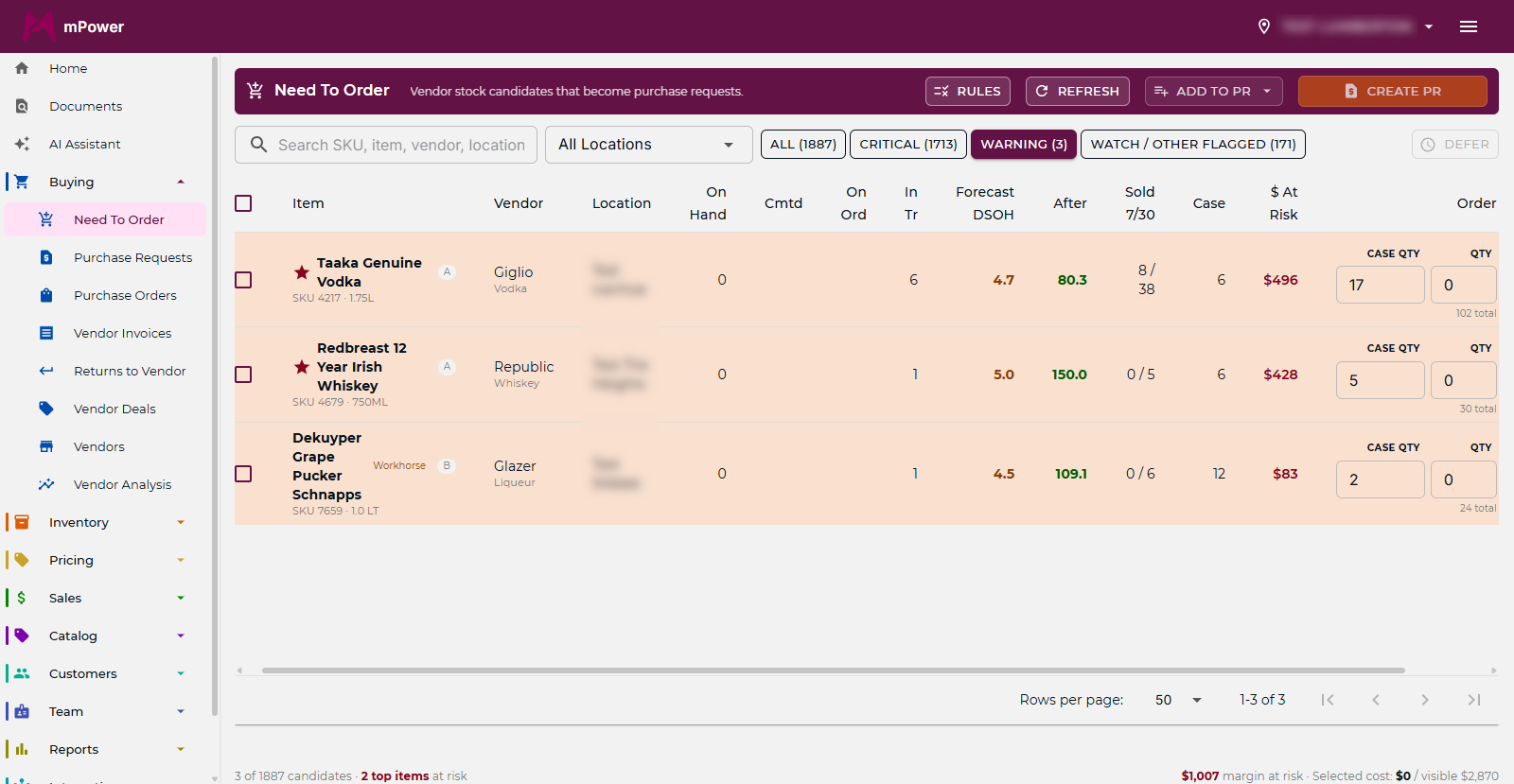
mPower’s need-to-order reports build the buy for you off the criteria that actually matter — case deal offers, minimums and maximums, day supply on hand. You run the report, edit what you disagree with, and send it to purchase request. The purchase order gets created for everything on the list.
Two details that matter more in Q4 than any other time of year:
One order splits itself by vendor. You create a single order and the system generates separate orders for each vendor, so you’re not building six purchase orders by hand for one week’s buy.
Receiving has two speeds. Quick receive when the delivery matches the order, or edit quantities before accepting into inventory when it doesn’t. In December, when it doesn’t is most of the time, and the store that edits at the door is the store whose counts still mean something in January.
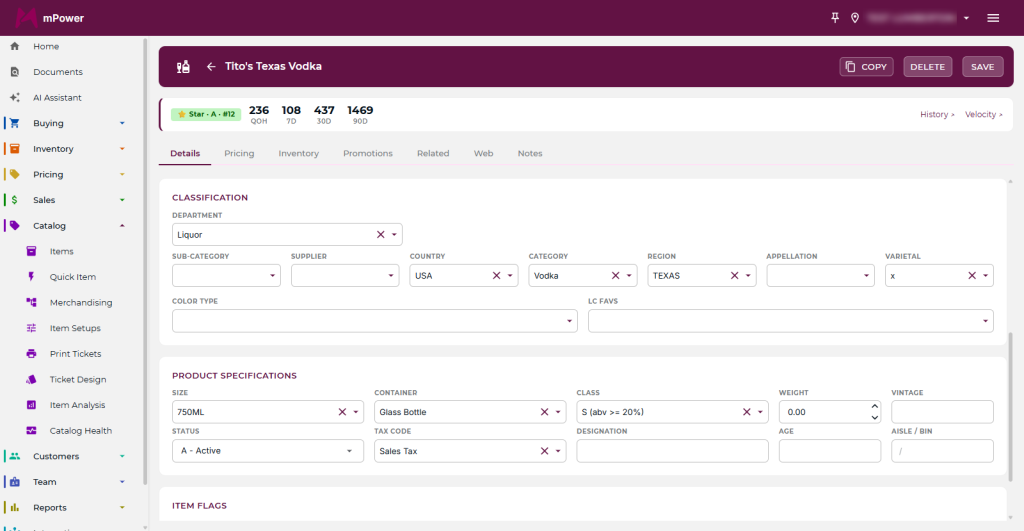
Inventory detail earns its keep at Christmas
Year-round, tracking country, region, and appellation on your wine feels like extra data entry. In the two weeks before Christmas, when a customer wants a Rioja under $30 and your best employee is on the other side of the store, it’s the difference between a sale and a shrug.
The same detail drives the buy. You can see what’s moving by category rather than guessing, which is how you avoid the classic Q4 mistake: over-ordering the thing that sold well last December and under-ordering the thing that’s actually trending this year. More on inventory management.
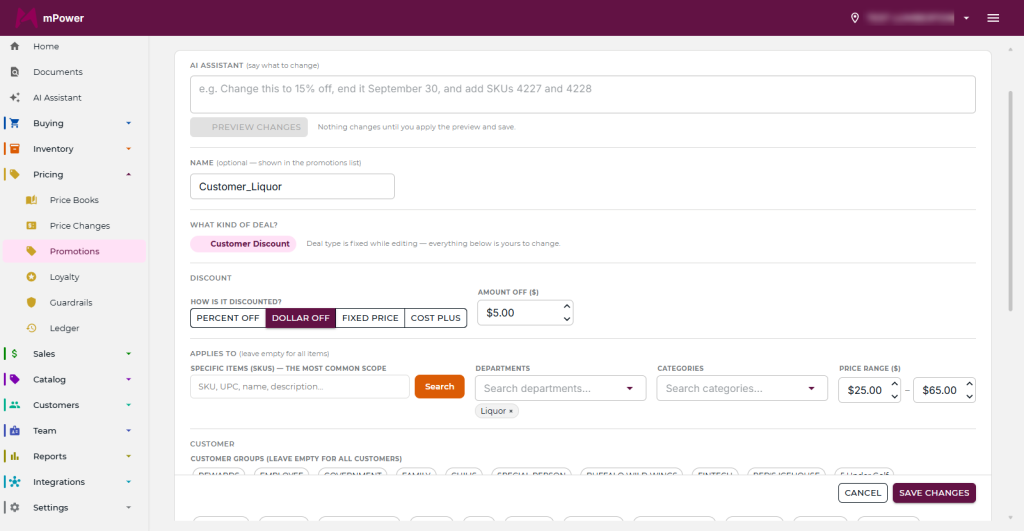
Promotions that run themselves
You’ll run more promotions in Q4 than in the rest of the year combined, and the ones that cause problems are always the ones somebody has to remember.
In mPower a promotion can be a straight discount (percentage or dollar), mix and match, or a price point. You set which items or merchandise levels it applies to, which days and times it runs, and which customer groups get it. Then it applies itself at the register.
The scheduling is the part worth using deliberately. A promo with a hard end date can’t run three days too long because nobody took the sign down. A promo scoped to a customer group lets you give your rewards members something real without discounting the whole store.
Customer records are how you get January back
Holiday traffic is mostly people you’ll never see again. The point of capturing anything at all is finding the small share who could become regulars.
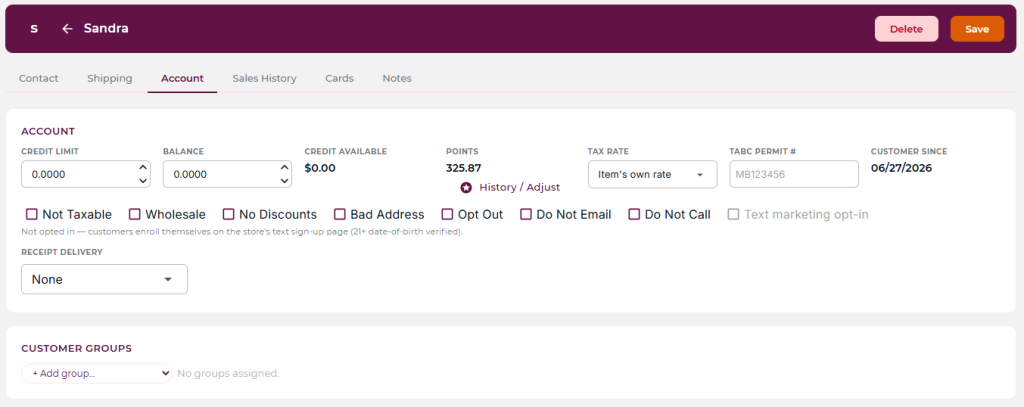
Customer records hold address, phone, email, purchase history, rewards points, and group membership. A December shopper who bought two bottles of the same Scotch is a January email, not a statistic. This is the cheapest lead source you have and almost nobody in this business works it.
Roles, rights, and seasonal staff
Every seasonal hire is a permissions question. Should a cashier be able to take a manual discount? Should a holiday manager create purchase orders but not see margin reports?
You can set all of that per employee across both the back office and the point of sale. The feature that saves the most time in Q4 is employee templates: build the rights profile once for “seasonal cashier,” then apply it to every person you bring on. Each employee gets a username and password to log in at the register, which also gives you clean hours tracking without a separate time system.
Set the template up in October. Doing it in the middle of an onboarding rush is how people end up sharing a manager login, which is a problem that outlasts the season.
Gift baskets without the inventory mess
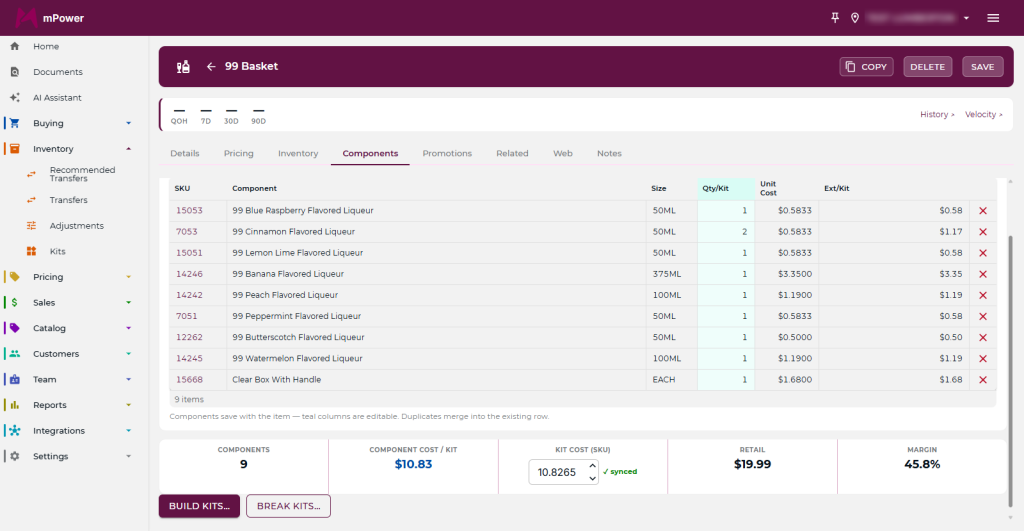
Gift baskets are good margin and a reliable inventory headache — you’re pulling six items off the shelf and selling them as one thing, and the counts have to follow.
mPower’s maintain kits tool handles it. Build the basket from items you already carry, add as many or as few as you want, price it as a unit, and the inventory it consumes is tracked. Print a barcode for the basket and it scans at the register like any other product.
A Q4 timeline
Everything above works better set up early. Rough schedule:
September — Review last December’s reports. Which categories actually moved, which sat. Build the buy off that, not off memory.
October — Set up seasonal employee templates. Build your gift basket kits and print barcodes. Both take an afternoon now and are impossible in December.
Early November — Load promotions with their date ranges already set. Run need-to-order reports against your December projections and get the first big orders placed.
December — Don’t set anything up. Sell.
There’s more that matters year-round and not just in Q4 — centralized database, cloud hosting, remote access, EMV-integrated payments. See how mPower compares to other systems, or schedule a demo and we’ll walk it against your own products. You can also reach sales at (877) 396-0141.